Music Player example application, important fixes around audio and skinned animation

Posted on

Music Player using Castle Game Engine
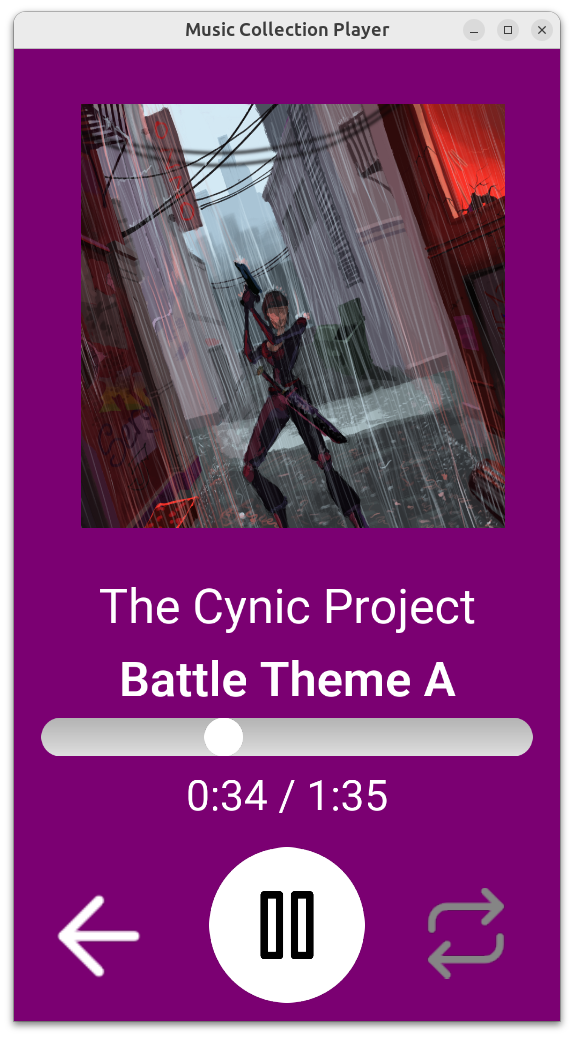
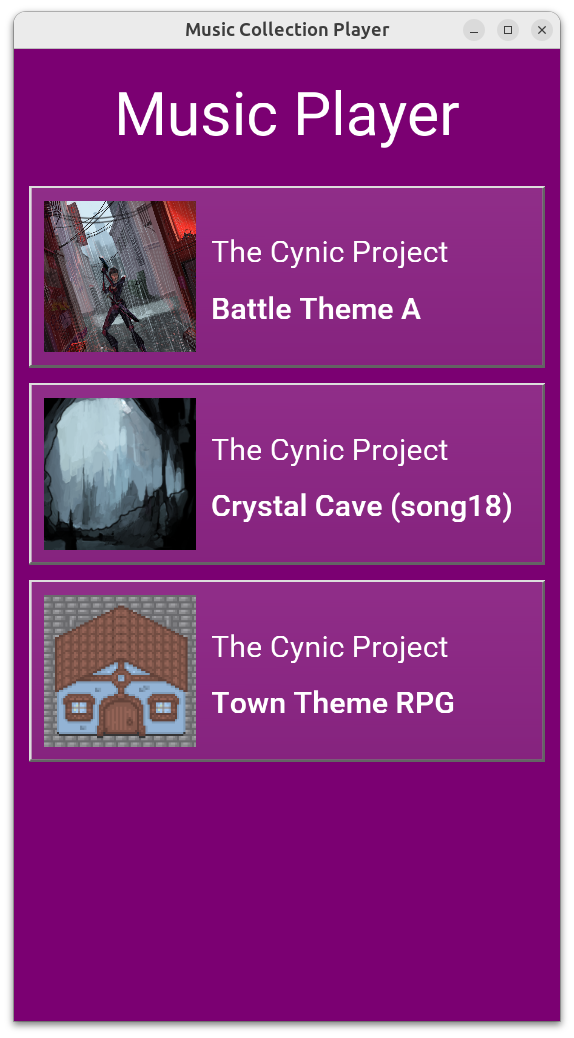
  1. We have a new example: Music Player, a simple application that allows to play a chosen audio track with UI similar to typical mobile music/audiobook players.

    This example has a nice backstory: For Mother’s Day (which is 26th May in Poland) my daughter and I made a gift for The Wife: a private application (Android apk) with a few audio tracks just for her. There’s an audio track with my daughter signing, with our cat meowing and other gems:)

    Don’t worry, the version I committed as our Castle Game Engine demo has more mainstream sounds :), using open-source audio tracks from OpenGameArt.org. Big thanks go to The Cynic Project (see also Pixelsphere project) for the cool public domain music tracks! See the credits for details about audio and art authors.

    Have fun extending this into your own ideas and I hope this inspires you to have fun with our engine:)

    Try out the example playing on the web right now! Though it looks best in portrait aspect, like on mobile.

    In a bit related news, please sign and spread the word about the need to keep Android open. Sadly, Google plans to practically break this important aspect of Android, which will prohibit making such fun experiments like “family Android app” and endanger more important use-cases (like distributing VPN apps in countries with totalitarian regimes).

  2. We have a few important audio fixes in the engine (thanks to experience with above example, but also a review done by Claude — more on this in a future news post):

    • TCastlePlayingSound.Offset for streaming sounds is now correctly read, and when trying to set it we make a clear warning that this is not supported. Please uncheck TCastleSound.Stream if you want to change audio track offset at runtime. (Before this fix, both getting and setting offset was broken, without any warning.) This applies only to the OpenAL sound backend, which is default on most platforms.

    • Loading stereo (or other non-mono) WAV sounds on the web has been fixed.

    • Priority of sounds was mistakenly inverted when using FMOD (we marked “most important sounds” as “least important” by accident), fixed now.

  3. We have fixed loading float textures on OpenGLES (Android, iOS). This makes our optimized skinned animation work in an optimal way on your phones.

  4. We made important glTF skinned animation fix (affecting all platforms): multiple skins that affect the same skeleton are now supported (if equivalent) or at least cleanly tolerated (we make a clear warning, and render part of the model as static).

    E.g. these Mini Characters from Kenney were broken, now they are fixed. See the forum thread for gory details what was broken and how it was fixed.

As always, we hope you have fun developing games and we appreciate your support on Patreon. Thank you!
Comments on the forum ➤

Audio (sound, music) on the web, sound API improvements (arbitrary channels, float frequency etc.)

Posted on

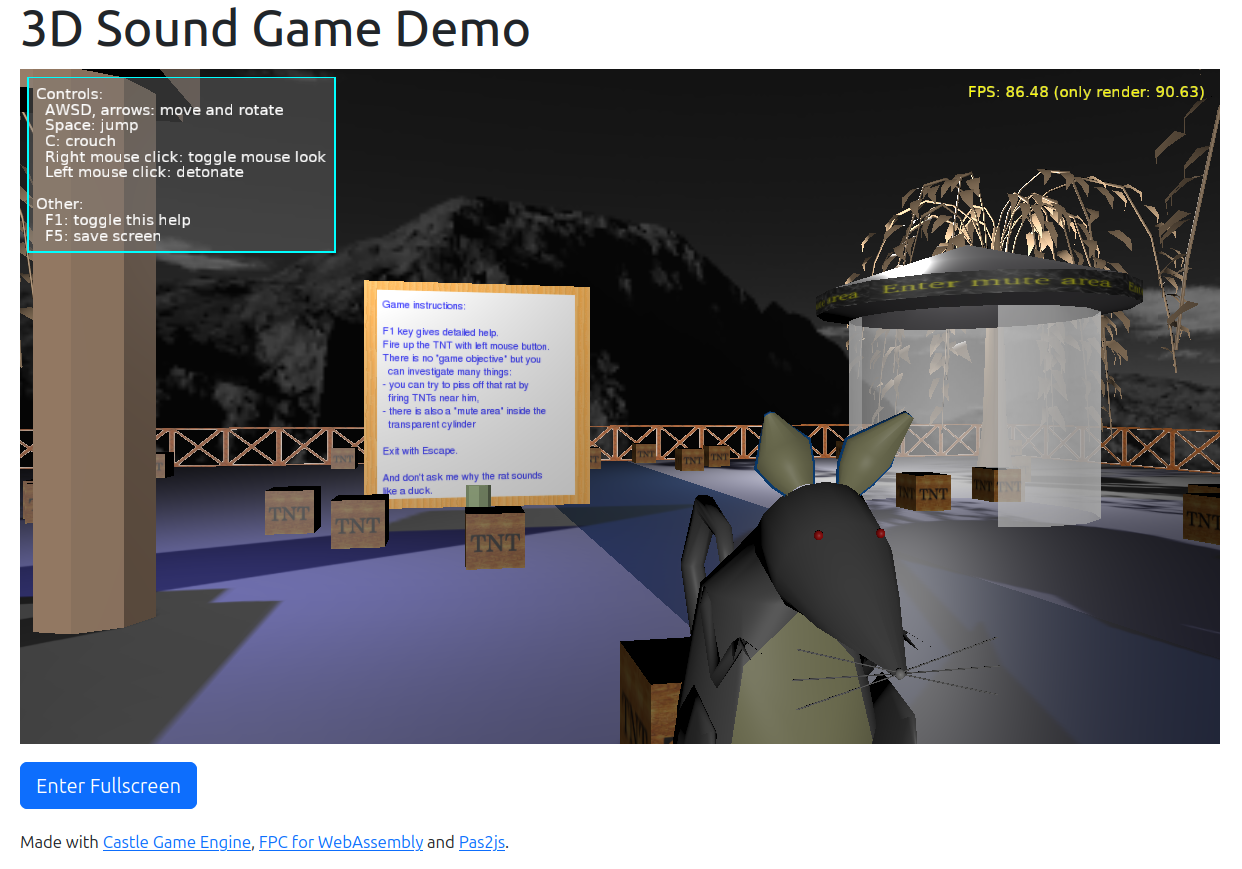
game_3d_sounds example
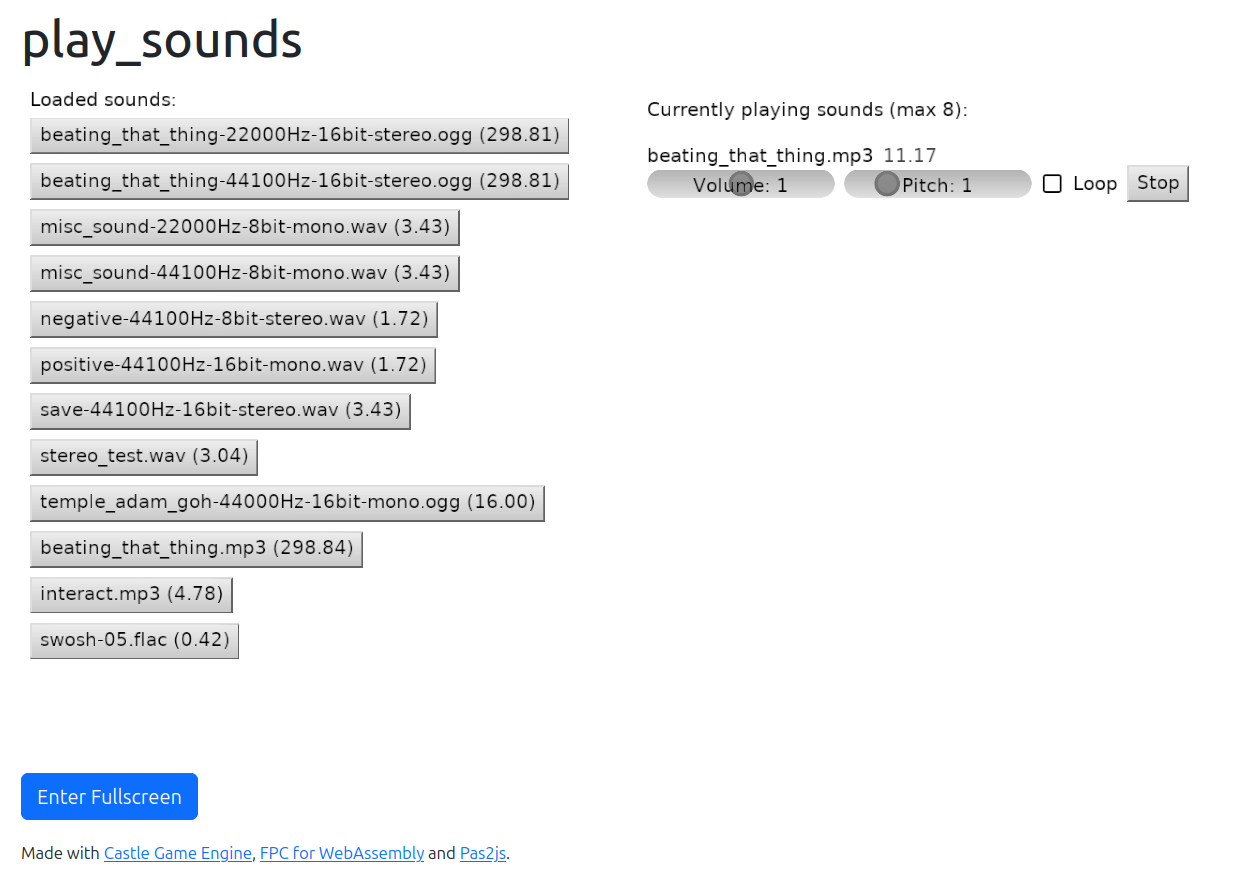
play_sounds example

We have implemented audio playback on the web. Underneath we use WebAudio API but you don’t really need to know anything about it — just use Castle Game Engine sound API and components and everything will work on the web.

Try these examples (links below lead to ready builds — they should work out-of-the-box in your browser):

We have documented some important notes about WebAudio here, a short recap:

  • Audio playback will be in a suspended state when loading the page in modern web browsers. Audio starts in response to user interaction with a page, like clicking any button. You can solve it also by putting your web application inside an iframe with allow="autoplay", which is done e.g. by wrapper generated for HTML games on itch.io.

  • OggVorbis and other formats support relies on the sound decoding support on the browser side. The exception is WAV format support, which we decode on the engine side.

We also did a few improvements around the sound formats API, which benefits all platforms by improving our cross-platform API.

  • The old TSoundDataFormat enum (with 4 values: mono 8-bit, stereo 8-bit, mono 16-bit, stereo 16-bit) is now gone. It was needlessly limiting us to 4 arbitrary combinations of channels/format.

  • We expose new property TCastleSound.Channels, as Cardinal. This can express sound files with more than 2 channels, like Quadraphonic. Already playable by some backends, like FMOD and new WebAudio. Our OpenAL could also play them in the future, see extensions to provide surround sound buffer formats.

  • We have an internal sound sample format (not exposed by public API), which describes just formats we decode on the engine side right now. It’s right now just pcm 8-bit (unsigned) or pcm 16-bit (signed) but can be easily extended. Moreover, it is now only used when we decode on the engine side — because some backends (FMOD and WebAudio) are capable of decompressing + playing without passing through our engine, so are not limited to these formats. E.g. FMOD can also use float sound data.

  • Sound frequency in TCastleSound.Frequency type changed from Cardinal to Single. This again matches better full FMOD and WebAudio backends capabilities. Prefer to express it as TSoundFrequency type, in case in the future we need to upgrade this to Double.

  • We tested and documented that some backends (again FMOD and WebAudio) support more sound formats (like mp3 and flac).

We hope you like our work and we appreciate your support on Patreon!

Comments on the forum ➤