 |
 |
Last news post was all about mobile development with Delphi. Let’s follow this with a list of improvements for mobile development with FPC!
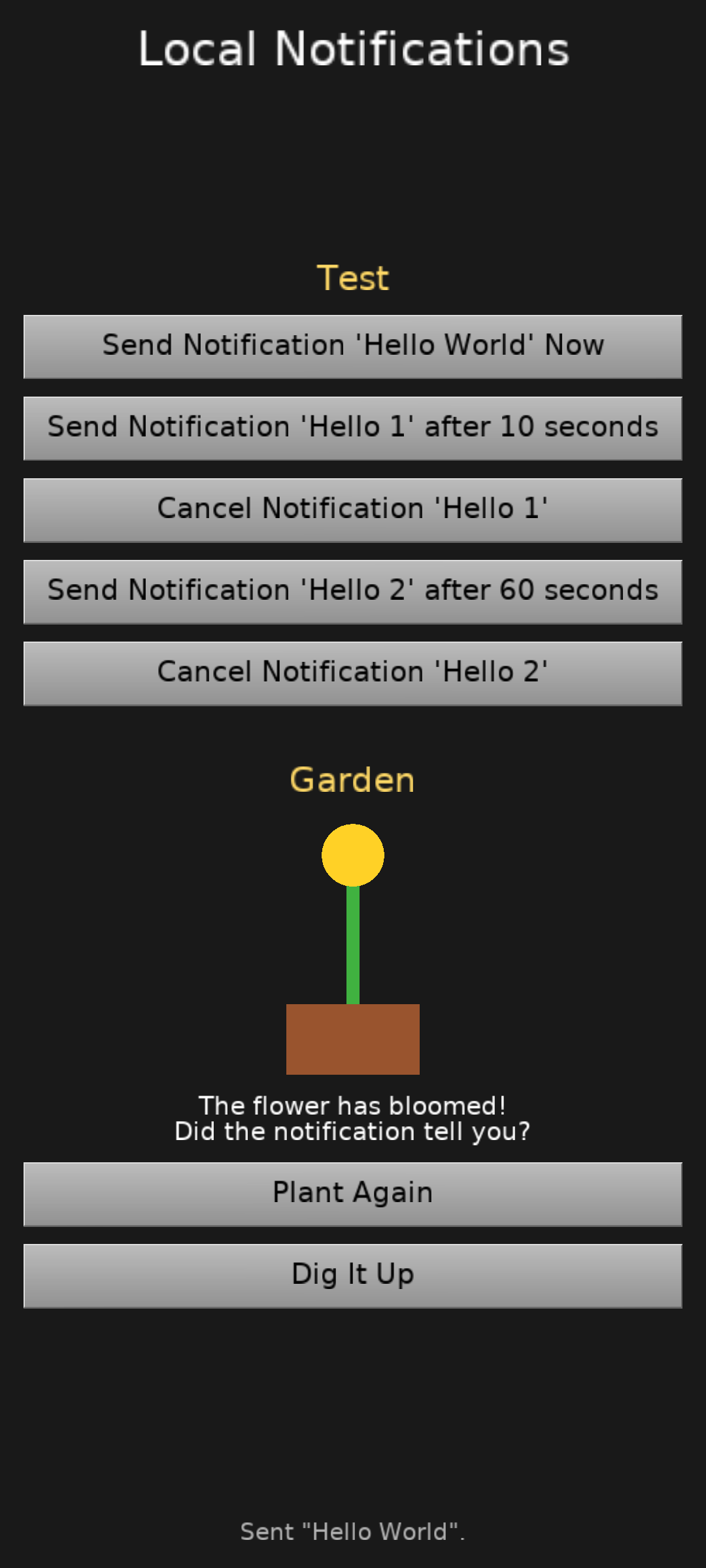
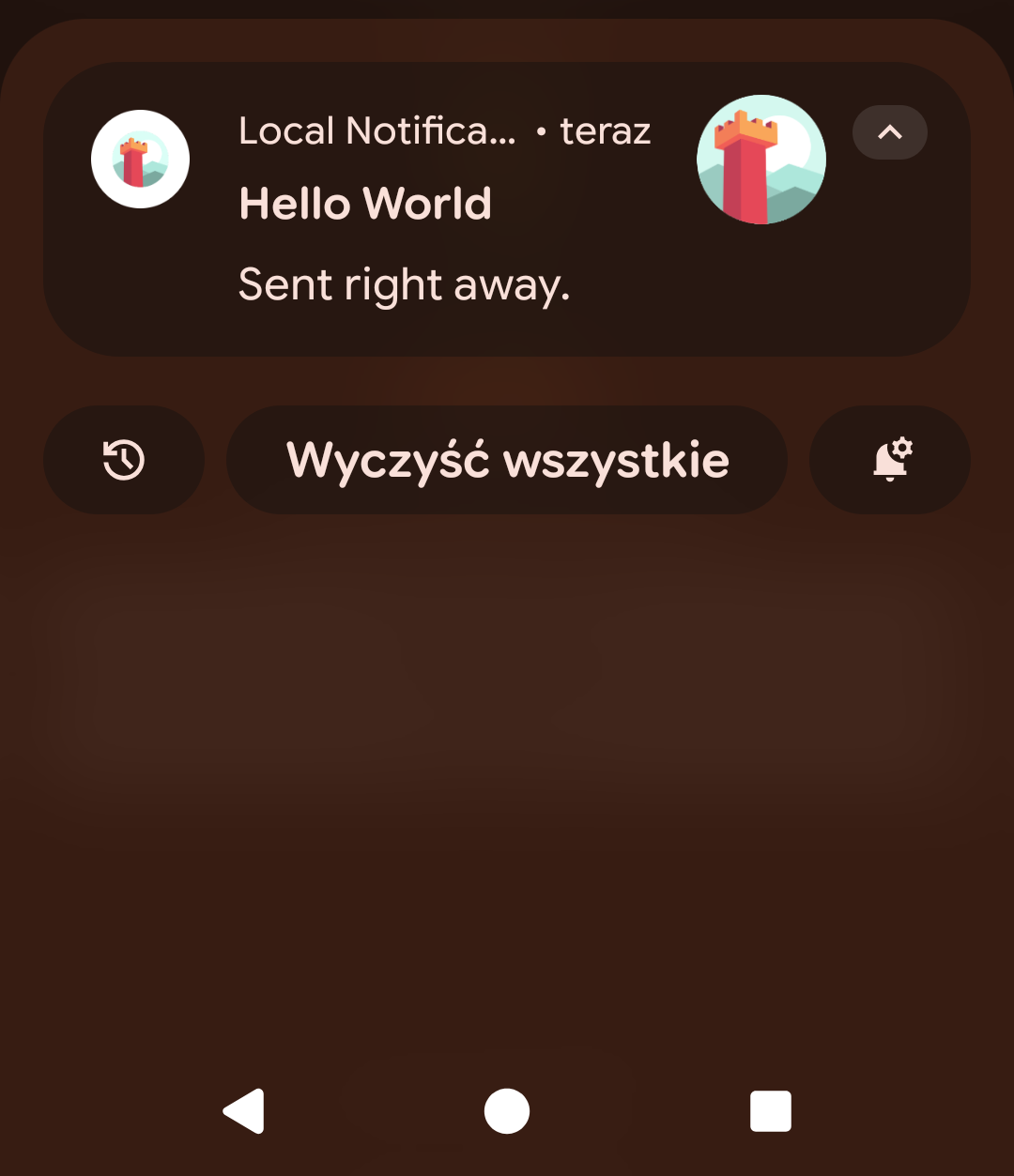
- We have a new Android service local_notifications to send notifications.
- An example showing the capabilities of it is in examples/mobile/local_notifications.
-
Big thanks to Hamid reza Kabiri for implementing this!
-
Note: These are local notifications, which means you send them when your application is running (to display immediately or after a specified delay). Contrast this with push notifications, which require a backend that determines the notification time — this would be a separate service.
-
Note: This service is for sending notifications using FPC. If you use Delphi, use FireMonkey API for notifications.
-
Our AdMob service on Android now supports asking the user for consent before showing ads.
- The service follows the Google-recommended pattern for asking for consent using User Messaging Platform. So the dialog looks consistent and non-surprising to users.
-
The change is backward compatible, so if you want to keep using it as before — you technically can. But note that asking for consent is legally required in Europe (European Economic Area and the UK).
-
This was again done by Hamid reza Kabiri. Big thanks!
-
All Android services can automatically bump Android’s “min SDK version”. This allows you to “just use” services like admob or game_analytics, without additional tweaking of the manifest file.
-
We have updated Gradle version used by our Android build files, to support Java >= 25 for Android building.
-
On iOS, we change the
castle-config:/location to one recommended by Apple. Read on for details.
Change of iOS savegame location
Only for iOS applications built with FPC: We change where we store configuration files.
This applies to user preferences, savegames, etc. — everything you access using configuration files castle-config:/xxx URLs.
- Previously, we stored config files (
castle-config:/URLs) inNSLibraryDirectory. - Now, we store them in
NSApplicationSupportDirectory.
The reason for the change: the new location follows Apple recommendations. See Apple “File System Basics” -> “Where You Should Put Your App’s Files”:
“Put app-created support files in the Library/Application support/ directory. In general, this directory includes files that the app uses to run but that should remain hidden from the user. This directory can also include data files, configuration files, templates (…)”.
The change is aligned with what happens with Delphi. We determine iOS preferences location for Delphi using different code but we made sure it is effectively calculating the same. See Objective-C code doing the equivalent for FPC. So your iOS applications will read/write the same configuration, no matter which compiler you use.
The new directory is in practice a subdirectory of the old one: it is <sandbox>/Library/Application Support/, while previously it was <sandbox>/Library/.
Backward compatibility:
The change itself could be a trivial 1-line change, but we need to do more work to be backward compatible. If you have an existing application, using CGE and FPC, on iOS, and you have saved some configuration -> if you rebuild your application with the new engine, it will still open the old configuration.
The backward compatibility mechanism should “just work” if all you do is read / write config files using castle-config:/... URLs. Opening castle-config:/... URLs with engine API, testing with UriExists -> will just work.
To account for edge-cases, and people who write their own Objective-C code, let us describe the details of how the compatibility was done:
- The library now exposes an additional routine,
CGEApp_SetFallbackConfigDirectory. -
Our Objective-C code passes there the old config location.
-
From your application, if you try to open the URL at
castle-config:/, or check for existence usingUriExists, we will first check the new config location, and then (if set) we will use the old location provided toCGEApp_SetFallbackConfigDirectory. This happens whenResolveCastleConfigUrlis called with 2nd parameterUseFallbackIfNotExistsset totrue. -
Nothing else is using the fallback config directory. Writes will always go to the new, proper config directory. So if you open and save a savegame on iOS, created with the old application version, the new application version will put it in the new location. Further reads will ignore the old file in the old location, since the file will exist in the new location. This should be invisible to the user on iOS (
<sandbox>/Library/is not visible in any application), so it should not cause problems.
Possible known gaps:
- Using
FindFileswithcastle-configprotocol, likeFindFiles('castle-config:/savegames/*.sav', ...)will not see the old savegames on iOS (in a fallback directory). If you need this to work:- Avoid
FindFileswithcastle-configprotocol on iOS with FPC. UseUriFileExistsinstead, e.g. check a list of possible savegame filenames. To be clear: You only need to be careful about this if you have users that have savegames in the old location (made with an old engine version). This concern doesn’t apply to new applications made with CGE for iOS. -
If the above advice is difficult, a fallback is to hack engine
tools/build-tool/data/ios/xcode_project/cge_project_name/OpenGLController.mto useNSLibraryDirectoryagain (instead ofNSApplicationSupportDirectory) for the config location. This is brutal but simple and effective: it gets you back to the old state, and it’s just a 1-line change. And let us know — so we can design a proper upgrade plan!
- Avoid
-
If you relied on
UriToFilenameSafeto convertcastle-configprotocol on iOS with FPC, it will not see the fallback file. We don’t know in which context you useUriToFilenameSafe, so it only resolves to the new config location. If this is a problem, our advice:- First of all, don’t use
UriToFilenameSafe— operate on URLs as much as possible, provide URLs to all CGE routines. -
Use
ResolveCastleConfigUrlwith 2nd parameterUseFallbackIfNotExistsset totrue.
- First of all, don’t use
Please contact us if this is causing any problems for you — we will propose solutions 🙂
As always, we hope you have fun developing games using Castle Game Engine and we appreciate your donations.

Start the discussion at Castle Game Engine Forum