 |
 |
 |
 |
Forgive us for a calm August without the usual weekly announcements, as Michalis spent most of the month on a family vacation. Stay tuned for an upcoming news post about a feature he made when his wife wasn’t watching: Android and iOS compatibility with Delphi 🙂
Until then, here are a number of announcements you can enjoy right now — with big thanks to everyone using the engine and building the ecosystem around it:
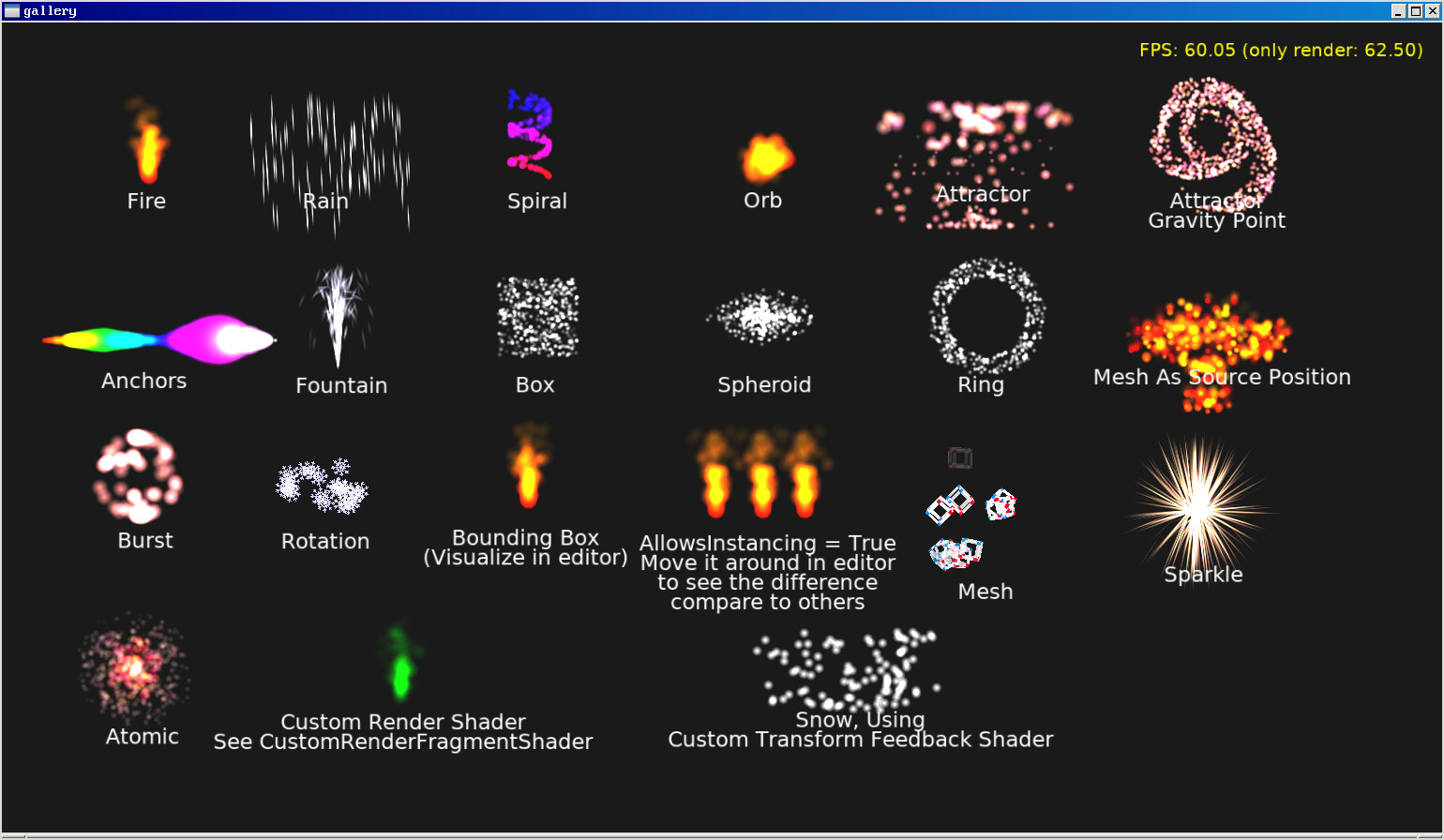
- Kagamma (Trung Le) has updated his GPU-based particle system for Castle Game Engine. New features, announced on the forum thread, are:
- Custom shaders: Influence particle position and look using a PLUG system similar to our shader effects. See docs.
- Web target support: see demo online.
- Modify the built-in particle mesh in editor.
- Rotation type support.
- Kagamma (Trung Le) also updated his alternative approach for particles in our engine: particles designed in Effekseer version 1.80.5 are now supported. Download the updated shared libraries for Windows, Linux and Android from here.
-
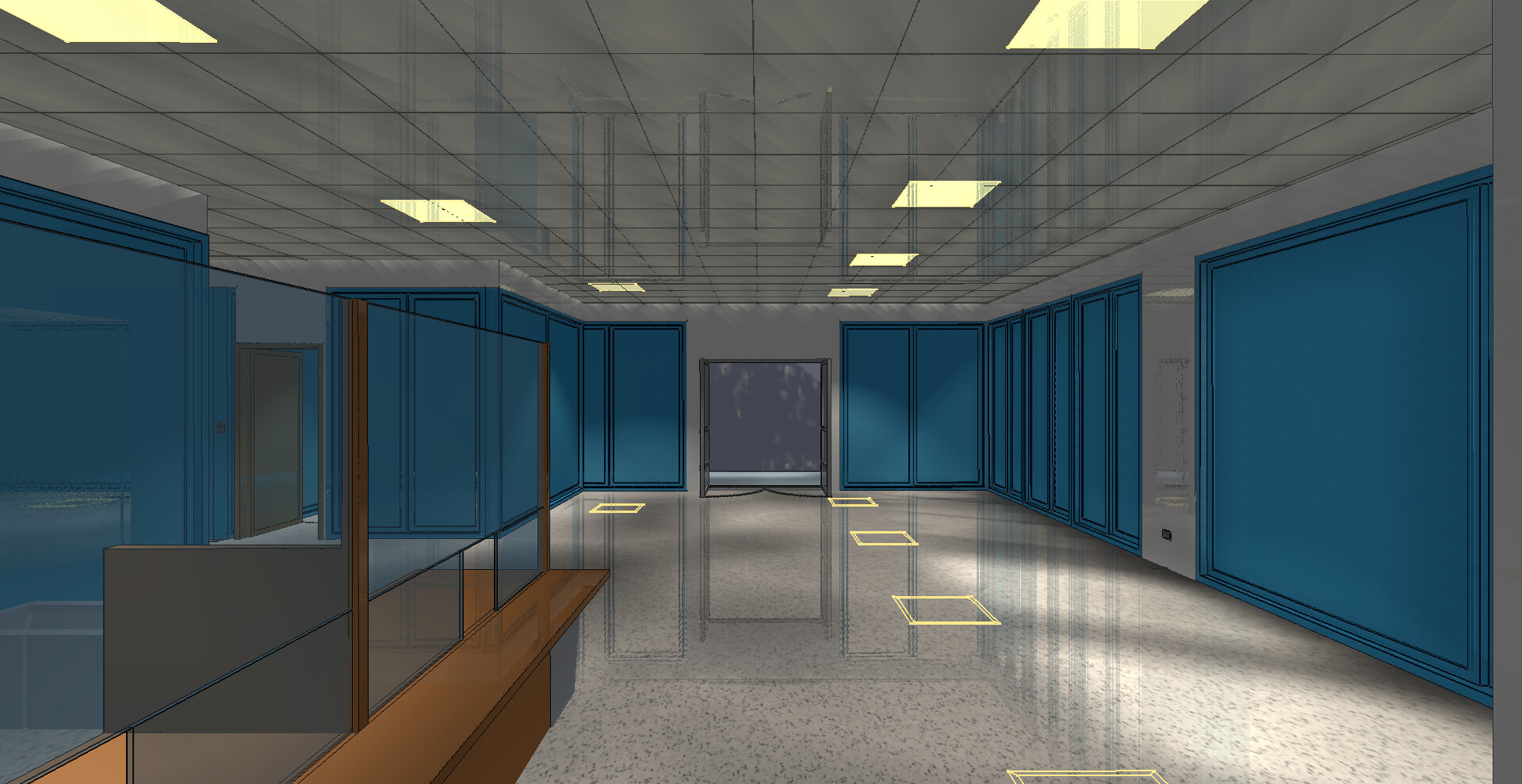
Marco Mora posted about a new exporter from FreeCAD to X3D with Castle Game Engine extensions. See his forum post for a description and screenshots and the repository here. You can see pretty mirrors on the screenshot, using our X3D extension for mirrors on flat objects. Enjoy and post your feedback in the forum!
-
We have documented how to optimize executable size (for all platforms) and committed a fix (no need for
exports) that makes the generated Linux executables much smaller (~45%) out-of-the-box. -
We reworked the creating 2D games page of our manual. This was waiting too long for a “big 2D tutorial” — which may still come some day, but in the meantime, the existing page is hopefully sufficient: it presents a short 2D overview and refers to other pages (since a lot of engine concepts are just the same for 2D and 3D usage).
-
As a small feature on our website, you can now use URLs like this:
https://castle-engine.io/api?id=PASCAL-IDENTIFIER… and it will automatically redirect to the proper API docs of a given identifier. For example, use
https://castle-engine.io/api?id=TCastleWindow
to redirect to
https://castle-engine.io/apidoc/html/CastleWindow.TCastleWindow.html
This is nice when writing URLs from outside of our website, e.g. from Markdown files in our source code. Of course, you can also just “spell out” the full URL like https://castle-engine.io/apidoc/html/CastleWindow.TCastleWindow.html there, but using the shorter https://castle-engine.io/api?id=TCastleWindow is
- A bit easier. You don’t need to think about which unit
TCastleWindowis in. This is resolved when we handle the redirect. -
More future-proof. If we ever move the identifier
TCastleWindowfrom one unit to another, the simple URL https://castle-engine.io/api?id=TCastleWindow will continue to work.
Note: if you update documentation on our website, this is not necessary! In AsciiDoctor files, just use
cgeref:TCastleWindow[]and it will display a proper link toTCastleWindow, showing a warning (in development mode) ifTCastleWindowis not found. See cge-www README about developing our website. - A bit easier. You don’t need to think about which unit
-
Geometry shaders received a number of fixes under the hood. Everything works again, and the code is cleaner than ever 🙂
- See how to use geometry shaders with shader effects. Examples are here.
-
See how to use geometry shaders with ComposedShader. Examples are here.
- Under the hood we have introduced magic
/* VARYING-PASSTHROUGH-GEOMETRY-SHADERS */comment to make it easier to pass data through geometry shader effects.
-
Important fix for XML reading with Delphi — this was crashing our explore_impressive_castle demo.
-
Fixed applying transformations if you modify
TCastleTransform.Existsoften. Previously, settingExiststotrueduring rendering but flipping it tofalseduring updating was causing a surprising effect: we rendered old transformations. Now the rendering always shows the current transformation. -
Trying to open a 2nd
TCastleWindowon the web, Android or other platforms that don’t support it will now result in a clear exception, with a message instructing you to check “Application.MultipleWindowsPossible“. This makes the situation cleaner than the previous “opening 2nd window works by accident, overriding the previous window rendering”. Demo is inside multiple_windows_and_viewports.
Enjoying the engine? Please support us on Patreon!

Start the discussion at Castle Game Engine Forum