C++ Builder
1. Introduction
The engine is fully compatible with C++ Builder. The complete engine class API is available from C++ in a natural way. You can use TCastleWindow or TCastleControl from C++, just like from Pascal. See the details in this article.
2. Examples
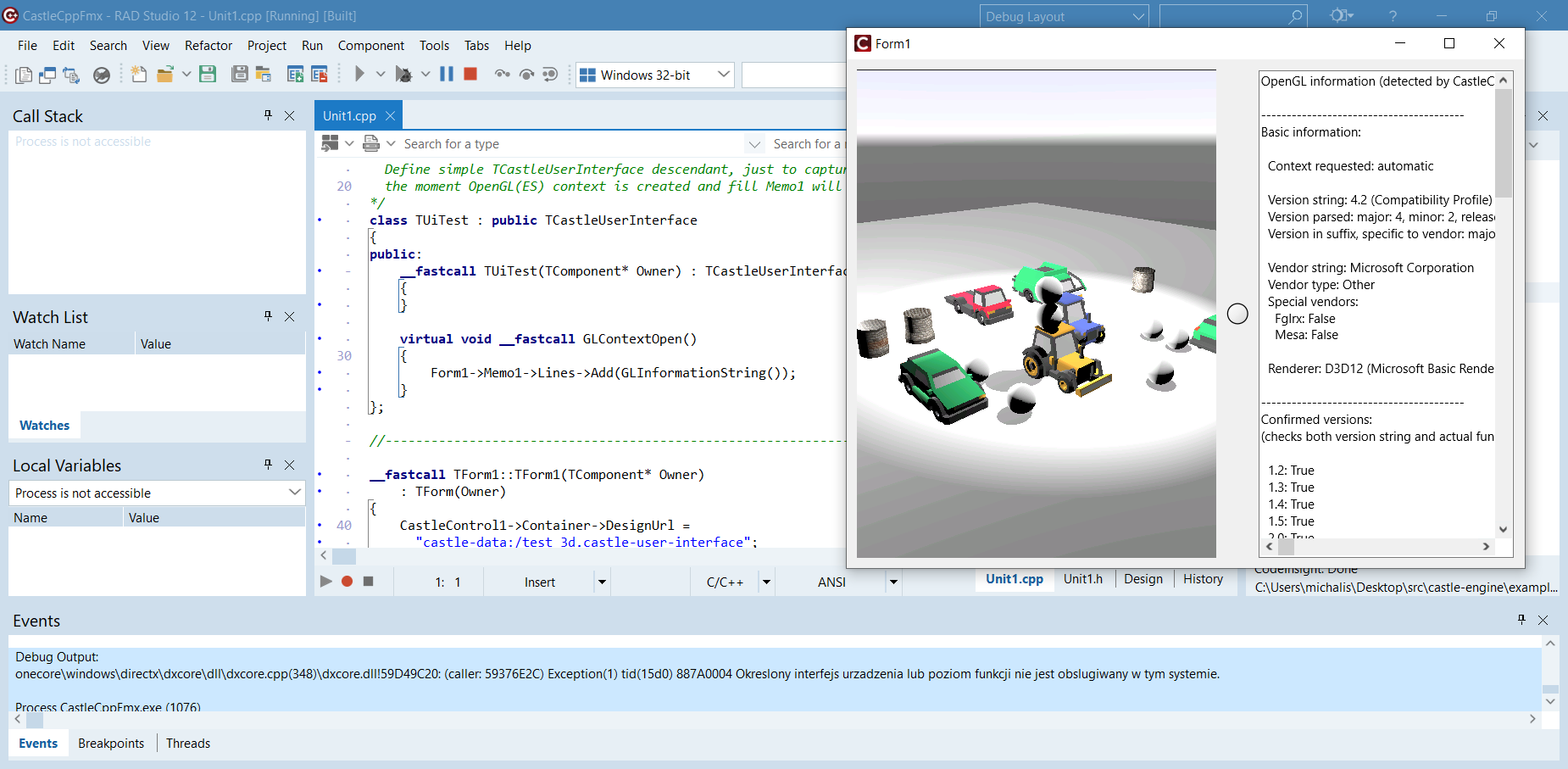
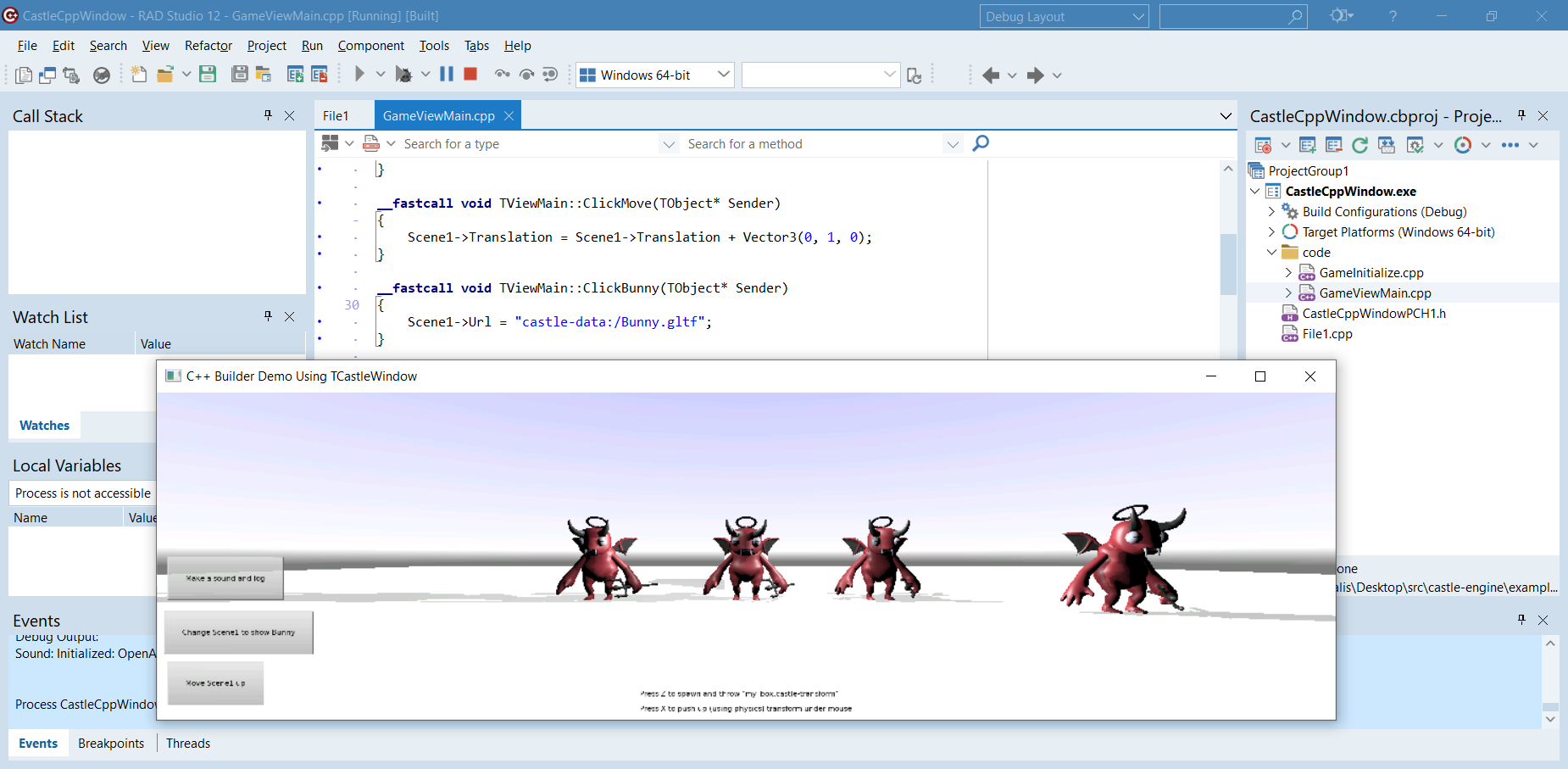
There are 2 examples in CGE specifically for C++ Builder, using engine API from C++:
-
examples/delphi/cpp_builder/fmx shows using
TCastleControlinside FMX form. -
examples/delphi/cpp_builder/window shows using
TCastleWindow, with views, loading a design, operating onTCastleSceneand more. It faithfully recreates in C++ the CGE Pascal example from the ITDevCon 2023 conference.
3. Building packages
For C++ Builder you need to Build the packages for all your target platforms. This means right now: Win32 and Win64 (since C++ Builder doesn’t support other platforms as target).
This is in contrast to usage from Pascal, where it is enough to Install the packages for your Delphi IDE architecture (Win32 or Win64, or both, depending on which IDE you use — new Delphi versions come with 64-bit IDE).
By accident, the above advice comes down to the same 2 platforms (Win32 and Win64) but for different reasons: for C++ the supported target platforms dictate this, while for Pascal the IDE platforms dictate this.
4. Versions supported
The C++ Builder compatibility is available for C++ Builder versions 11.3 and up.
5. Redistributing C++ Builder applications by default requires redistribution of Delphi run-time BPLs too
C++ Builder applications by default require redistribution of Delphi run-time libraries (BPL files) too. This is unrelated to CGE. So you cannot just give your users the resulting EXE file, you need to also provide all the BPL (run-time packages) it uses. If you use CGE, then in addition to RTL and FMX, you will also need to redistribute CGE run-time packages (BPL files).
If you forget to distribute the BPL files along with your EXE, users will see an error message like this:

If you want to avoid it, and have everything contained in one big EXE file, follow this answer: How do I create a stand-alone application in C++Builder. In short (as of RAD Studio 12.0) uncheck in project options
-
"Building → C++ Linker → Link with Dynamic RTL" and
-
"Packages > Runtime Packages → Link with runtime packages".
Applications are then compiled into a larger EXE, that is "stand-alone" and does not require BPL files to be distributed.
We have tested the above solution, it works for simple FMX applications and CGE applications using TCastleControl like examples/delphi/cpp_builder/fmx. Below is a screenshot, as you can see in the background we only transferred the EXE file to another computer and the data subdirectory.

|
Warning
|
Unfortunately examples/delphi/cpp_builder/window with these settings (no run-time packages) makes C++ Builder compiler crash with Access Violation. We haven’t tested whether this problem affects all C++ Builder applications using TCastleWindow, the reason behind it is also unknown — TCastleWindow isn’t anything special, it just uses WinAPI (on Windows) under the hood to create a window with OpenGL context.
|
To improve this documentation just edit this page and create a pull request to cge-www repository.
